TCHD-840 Pro Switcher vs USB 4K Capture Card: Which Live Production Tool Wins?
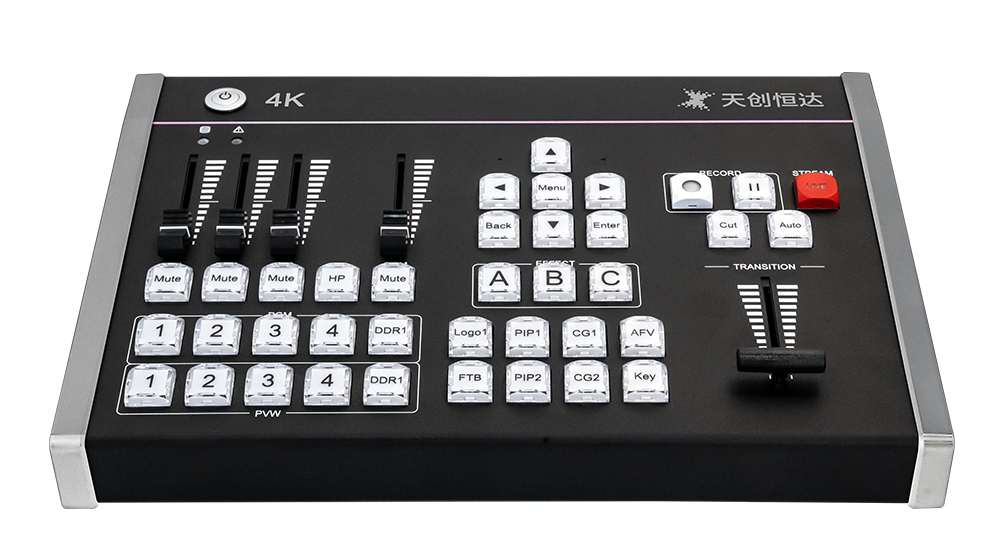
A TCHD-840 Pro switcher and a USB 4K capture card do not compete for the same job, even though both have an HDMI input and a USB connection. The switcher is a production device: it accepts four 4K full-frame-rate HDMI and NDI hybrid inputs, mixes them into one program, adds transitions and keyed graphics, and outputs that program either as a webcam feed over Type-C UVC or directly to platforms over RTMP, RTMPS, SRT, UDP, RTP, HLS or WHIP. A USB 4K capture card is an input device: it brings one HDMI source into a computer, where OBS, VLC or Amcap performs the production work.
The short answer follows from that split. If two or more live sources have to be cut together on site, the TCHD-840 Pro is the correct tool. If the production already happens in software and only the camera, console or medical imaging feed needs to enter the machine, the TC-UB620 or TC-UB660 capture card is the correct tool. Buying a switcher to capture one source adds cost and a control surface nobody operates; buying a capture card for a four-camera shoot leaves the operator switching inside software with no T-Bar, no TALLY and no hardware audio mixing.
Where the Confusion Comes From
Both device types present the same physical pattern: HDMI in, USB out, aluminum housing, no moving parts. That surface similarity hides a different internal architecture, and the difference is what determines whether a workflow works or collapses under a second camera.
A capture card converts. It accepts one HDMI signal, packages it for the host machine, and presents it as a standard video device. The TC-UB620 does this over USB-C 3.2 Gen 1 with an HDMI 2.0 input and pass-through; the TC-UB660 does it over USB 3.2 Gen 2 Type-C with an HDMI 2.1 input and pass-through. Neither device switches, composites, keys or streams on its own. All of that is delegated to the computer.
A switcher composes. The TCHD-840 Pro decodes four inputs in one of three modes — 1×4K60, 2×4K30 or 4×1080P — and produces a single program output that already contains the cut, the transition, the picture-in-picture layout, the keyed logo, the subtitle crawl and the mixed audio. The computer receives a finished feed, not four raw ones.
Why Both Categories Exist
Dataintelo's Capture Card Market Research Report 2033 values the global capture card market at USD 1.31 billion in 2024 and projects USD 3.37 billion by 2033 at a 12.4% CAGR. The same publisher's Video Capture Card Market Research Report 2034 reports that USB capture cards held the largest product-type share at 38.4% in 2025, that gaming led applications with a 31.2% share in 2025, and that medical imaging and industrial applications together account for 19.4% of revenue with an 11.8% CAGR through 2034.
Those numbers describe two distinct demand patterns, and neither one is multi-camera live production. The 38.4% USB share reflects an enormous population of single-source jobs — one console, one camera, one meeting room — where a capture card is the entire solution. The 19.4% medical and industrial share reflects jobs where the value lies in getting one high-quality signal into a recording or analysis system without alteration. Both patterns reward a device that converts and does nothing else.
Multi-camera production sits outside both patterns. It needs switching, tally signalling, audio mixing, portrait and landscape output, and simultaneous distribution to several platforms on site. That is the job the TCHD-840 Pro is designed for, and the job a capture card does not attempt. The two categories coexist because the workflows behind them are genuinely different, not because one supersedes the other.
The Technical Line: One Source or Four
The bandwidth arithmetic explains why the two categories diverge technically. A purplelec technical comparison of PCIe and USB 3.0 capture paths notes that uncompressed 4K 60 Hz RGB 24-bit video requires approximately 11.94 Gbps, which exceeds the 5 Gbps ceiling of USB 3.0. Every USB capture card therefore depends on a faster link and on compressed or subsampled pixel formats for its highest frame rates.
The TC-UB660 shows how that plays out in practice. Over a USB 3.2 Gen 2 connection it records 3840×2160 at 144 fps in MJPG, 60 fps in NV12, 50 fps in YUY2 and 30 fps in RGB24 or P010, and 1920×1080 at up to 240 fps in MJPG or NV12. Different formats buy different frame rates on the same cable, which is why format choice matters as much as resolution when a card is specified.
The TCHD-840 Pro sidesteps the problem differently. It composites four inputs internally and exposes one program feed over Type-C UVC, using H.264 and H.265 hardware encoding for its network outputs. The host computer never receives four uncompressed 4K streams; it receives one already-encoded program. That is the architectural reason a switcher can support multiple 4K inputs over a single USB connection while a capture card handles one.
What the TCHD-840 Pro Actually Does
The TCHD-840 Pro is a multi-format live stream switcher in the live streaming switcher category, designed for multicamera live streaming to the internet or to broadcast, and for e-commerce live sales workflows with simultaneous multi-platform streaming. Its published capabilities are specific:
- Inputs and decoding: four channels of 4K full-frame-rate HDMI and NDI hybrid input, covering 1×4K60, 2×4K30 and 4×1080P decoding modes, with broadcast-grade switching described in the specification as ultra-low-latency and stable.
- Output without a capture card: an exclusive Type-C UVC video output that Windows and macOS recognise as a high-definition webcam, compatible with OBS, Zoom and mainstream live and conference software, driver-free.
- Encoding and distribution: H.264 and H.265 hardware encoding with RTMP, RTMPS, SRT, UDP, RTP, HLS and WHIP support, and stable simultaneous streaming to four independent platforms with adjustable bitrate and delay.
- Audio: 3.5 mm audio input and output, real-time mixing of HDMI embedded audio, NDI audio, DDR playback audio and external microphone audio, with independent volume, mute switching and 0–10000 ms audio delay tuning.
- Effects and control: 36+ transitions, T-Bar manual control, chroma and luma keying, multi-window PIP split-screen, logo overlay, scrolling CG subtitles, and multi-format segmented USB recording.
- Physical and system: dual Gigabit network ports, TALLY linkage, and an aluminum alloy housing.
- Orientation: one-click switching between 16:9 landscape and 9:16 portrait modes.
The 9:16 switch is not a cosmetic feature. Portrait output is the native format for mobile-first commerce, and a switcher that produces it directly removes a downstream conversion step that would otherwise have to be handled in software.
What the TC-UB620 and TC-UB660 Actually Do
TC-UB660: USB 3.2 Gen 2 with HDMI 2.1 pass-through
The TC-UB660 is a USB 4K capture card in the USB video capture card category, built on USB 3.2 Gen 2 Type-C with an HDMI 2.1 input and pass-through. It passes through up to 2160p144 HDR/VRR, 3440×1440p120 HDR/VRR, 1440p240 HDR/VRR and 1080p360 HDR/VRR, so the local display keeps the source's full refresh behaviour while the capture path records. Audio runs both ways: HDMI, a 3.5 mm line input and a 3.5 mm headset microphone input on the capture side, with HDMI and 3.5 mm headset output on the monitoring side. UVC and UAC compliance make it driver-free across OBS, VLC and Amcap on Windows, macOS, Linux, Android and iOS, and the full-aluminum housing is specified for heat dissipation during long streaming sessions.
TC-UB620: USB-C 3.2 Gen 1 with HDMI 2.0 pass-through
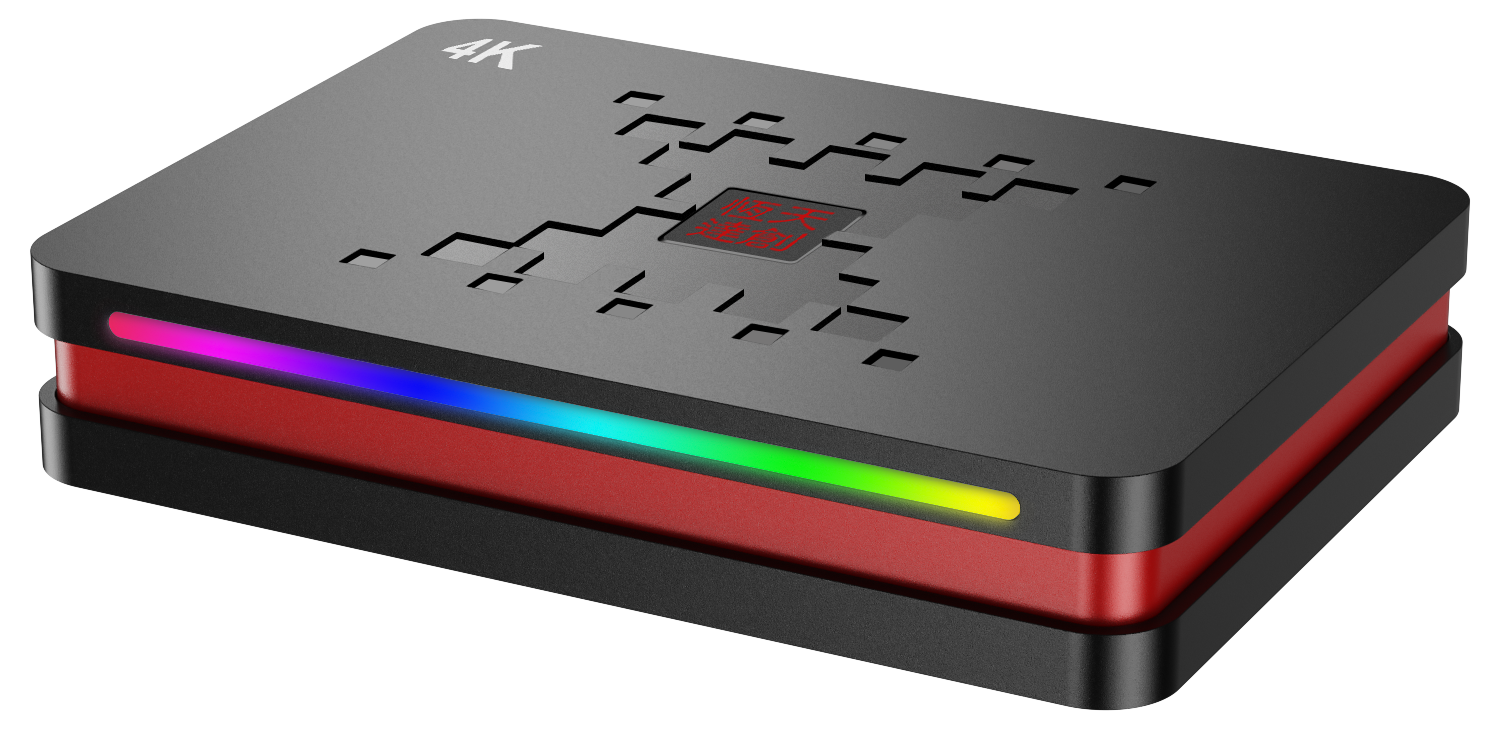
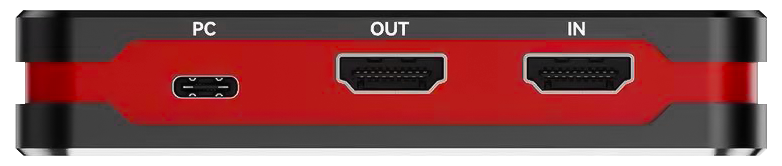
The TC-UB620 is a USB 4K capture card built on USB-C 3.2 Gen 1 with an HDMI 2.0 input. Maximum input resolution is 4K at 60 Hz and maximum capture resolution is 4K at 60 Hz, with HDR pass-through at 2160p60, 1440p144/120 and 1080p240, and VRR pass-through at 3840×2160 (48–60 Hz) and 1920×1080 (48–120 Hz). The specification notes that YCbCr 4:2:0 VRR is not supported and that sources such as the Xbox One X need the YCC 4:2:2 option enabled for VRR to pass. Recording reaches 3840×2160 at 60 fps in MJPG and 30 fps in NV12 or I420, and 1920×1080 at 240 fps in MJPG. A 3.5 mm stereo input allows microphone audio to be superimposed on HDMI audio during capture.
Step-by-Step: Choosing Between the Two Architectures
The choice resolves through five questions, asked in order. Each one can eliminate a category outright.
Step 1 — Count simultaneous sources
One source means a capture card. Two or more sources that must be visible and cut live means a switcher. The TCHD-840 Pro accepts four HDMI or NDI inputs; the TC-UB620 and TC-UB660 each accept one HDMI input. Adding cameras to a capture-card rig means adding cards, USB bandwidth and software scenes, not adding channels to one device.
Step 2 — Decide where the mix happens
If a computer operator will run OBS with scenes, overlays and a mouse, a capture card fits. If a technical director needs physical buttons, a T-Bar and 36+ built-in transitions, the switcher fits. Both approaches can produce acceptable output; only one keeps the operator's hands off the computer during the show.
Step 3 — Check what the host must receive
The TCHD-840 Pro presents itself as a UVC webcam, so the computer sees a finished program without additional hardware. A capture card presents itself as a capture device, and the computer sees whatever the source is sending. If the host machine is a locked-down laptop for a video conference, the UVC path removes driver and installation risk entirely.
Step 4 — Map the audio path
Count the audio sources. The switcher mixes HDMI embedded audio, NDI audio, DDR playback audio and an external microphone in real time, with independent level control, mute and up to 10000 ms of delay tuning for lip-sync correction over long shows. The capture cards mix HDMI audio with a 3.5 mm microphone or line input, which covers a single-commentary setup but not a multi-microphone panel.
Step 5 — Confirm the destination format and count
Streaming to four platforms at once, or producing both 16:9 and 9:16, is a switcher function: the TCHD-840 Pro handles four simultaneous platform streams over RTMP, RTMPS, SRT, UDP, RTP, HLS or WHIP and switches orientation with one click. With a capture card, platform count and aspect handling are decided by the software on the host, and by how much CPU the host has left.
Use Cases: Where Each Tool Fits
Multi-platform e-commerce live sales
A live sales studio running several cameras, a portrait output and the same show on multiple marketplaces is the TCHD-840 Pro's native environment: e-commerce live sales workflows with simultaneous multi-platform streaming, 9:16 switching and hardware keying for price overlays. A single-host, single-camera seller who broadcasts from one device is better served by a TC-UB620 or TC-UB660 feeding a laptop, which is exactly the e-commerce livestreaming role those cards are specified for.
Esports tournaments and game console recording
High-frame-rate game capture is a capture-card task. The TC-UB660 records 1920×1080 at up to 240 fps over USB 3.2 Gen 2 and passes through 2160p144 HDR/VRR, so the player's monitor keeps its refresh rate while the recording runs. A tournament broadcast with a commentator desk, a game feed and a venue camera is a switcher task, and the TCHD-840 Pro is specified for livestream eSport event industries with TALLY supporting camera operators.
Concerts, sports events and outdoor production
Venue work means multiple cameras spread across distance and a program that must leave the site immediately. Four HDMI and NDI hybrid inputs plus dual Gigabit ports cover the input and network side, TALLY keeps operators aligned, and hardware encoding sends the program to platforms without tying up a computer. A single locked-off wide shot of the same event only needs a capture card.
Lecture recording, remote education and campus TV
A lecture capture with one camera and a slide feed maps cleanly onto a TC-UB620: 4K60 over USB-C 3.2 Gen 1 into a lectern PC running OBS or VLC, driver-free under UVC. A campus TV production or a multi-room teaching build with several cameras, graphics and a scheduled stream maps onto the TCHD-840 Pro, whose education and remote teaching scenarios include multi-camera switching and CG subtitle overlay.
Medical imaging, endoscopy and telemedicine
Clinical and training workflows generally need one imaging source recorded or transmitted faithfully, which is the capture card's role; both the TC-UB620 and TC-UB660 are specified for medical video capture within the healthcare industry. Telemedicine consultations and surgical teaching sessions that combine an imaging feed, a room camera and a presenter view move into switcher territory. Buyers in clinical environments should confirm current declaration documents directly with the supplier rather than assume a certification that is not published for a specific model.
Corporate meetings, conference streaming and virtual studios
Recording a single room PC's output for enterprise meeting records needs a capture card. Streaming a conference with a stage camera, a presenter laptop, a slides feed and a sponsor loop needs a switcher: four inputs, PIP layouts, chroma keying and a program feed to the venue screen and to remote platforms at the same time. Virtual studio and broadcast multi-camera productions fall on the same side of the line.
Side-by-Side Comparison
| Decision factor | TCHD-840 Pro | TC-UB660 | TC-UB620 |
|---|---|---|---|
| Device role | Multi-format live stream switcher | USB 4K capture card | USB 4K capture card |
| Video inputs | 4-channel 4K full-frame HDMI + NDI hybrid | 1× HDMI 2.1 with pass-through | 1× HDMI 2.0 with pass-through |
| Host connection | Type-C UVC output (webcam class) | USB 3.2 Gen 2 Type-C | USB-C 3.2 Gen 1 |
| Maximum capture | Multi-format segmented USB recording | 3840×2160 at 144 fps MJPG; 60 fps NV12; 1080p240 | 3840×2160 at 60 fps MJPG; 30 fps NV12/I420; 1080p240 MJPG |
| Pass-through | Not specified | 2160p144 HDR/VRR; 1440p240; 1080p360 | 2160p60 HDR; 1440p144/120; 1080p240 |
| Switching and effects | 36+ transitions, T-Bar, chroma/luma key, PIP, logo, CG subtitles | Handled by host software | Handled by host software |
| Audio | 3.5 mm in/out; HDMI, NDI, DDR and mic mixing; 0–10000 ms delay | HDMI, 3.5 mm line in, headset mic; HDMI and headset out | HDMI, 3.5 mm line in, headset mic; HDMI and headset out |
| Network streaming | H.264/H.265; RTMP, RTMPS, SRT, UDP, RTP, HLS, WHIP; 4 platforms | Via host software | Via host software |
| Control and sync | TALLY linkage; dual Gigabit ports | Not specified | Not specified |
| Aspect handling | One-click 16:9 and 9:16 | Defined by source and software | Defined by source and software |
| Housing | Aluminum alloy | Aluminum alloy | Aluminum alloy |
The table makes the trade-off visible: the switcher consolidates many functions into one box, while each capture card stays deliberately narrow and depends on the host for everything beyond conversion. Neither column is a downgrade of the other; they answer different procurement questions.
What This Comparison Does Not Cover
Three limits are worth stating plainly. First, no unit price, minimum order quantity or lead time is published in the available product documentation for the TCHD-840 Pro, TC-UB620 or TC-UB660, so commercial terms must come from a direct quotation rather than an estimate. Second, model-level certification documents are published for several TCHD camera models, but buyers specifying capture cards or switchers for regulated environments should request the current declaration set for the exact model being purchased. Third, for import documentation, TCHD products are classified under HS Code 8471.80 and 8525.80 according to trade data published by Zauba, which importers should confirm against their own customs broker's ruling.
TCHD Digital Video Technology Development (Beijing) Ltd is a manufacturer established in 2005 with more than 20 years of experience in the video technology industry. Its product range covers live streaming cameras, video capture cards, video converters, video encoders and video switchers, and its markets include the EU, USA and Asia. Buyers evaluating both categories can source them from one supplier, which simplifies matching a switcher and a capture card to the same production specification.
Frequently Asked Questions
Do I still need a 4K capture card if I use the TCHD-840 Pro?
No. The TCHD-840 Pro provides an exclusive Type-C UVC video output that Windows and macOS recognise as a high-definition webcam, compatible with OBS, Zoom and mainstream live and conference software without a driver. The device is specified to support on-site setup without additional live broadcast capture equipment and does not require an external capture card for its UVC video output.
What is the difference between the TC-UB620 and the TC-UB660?
The TC-UB620 uses USB-C 3.2 Gen 1 with an HDMI 2.0 input, captures 4K at 60 Hz (60 fps MJPG, 30 fps NV12/I420) and passes through 2160p60 HDR. The TC-UB660 uses USB 3.2 Gen 2 Type-C with an HDMI 2.1 input, captures 4K at up to 144 fps in MJPG and 60 fps in NV12, and passes through 2160p144 HDR/VRR, 1440p240 and 1080p360. The 660 is the higher-bandwidth option; the 620 covers standard 4K60 work.
Which software and operating systems do these devices support?
Both capture cards are UVC and UAC compliant and work driver-free with OBS, VLC and Amcap on Windows, macOS, Linux, Android and iOS. The TCHD-840 Pro is compatible with OBS and Zoom together with mainstream live streaming and conference software, and its recording function writes multi-format segmented files to USB storage.
Who manufactures these devices, and can one supplier cover both categories?
TCHD Digital Video Technology Development (Beijing) Ltd manufactures both. The company was established in 2005, has more than 20 years of experience in the video technology industry, operates a 10,000 m² factory with 50 employees and a 10-engineer R&D team, and reports an annual output of 4000 units with exports accounting for 20% of sales across the EU, USA and Asia. Its catalogue covers capture cards, switchers, streaming cameras, encoders and converters, so a mixed workflow can be specified from one source.
How do I request a sample or a quotation?
Contact TCHD Video directly with the source count, resolution and frame rate, the number of streaming platforms, and the required orientation (16:9 or 9:16). For a switcher evaluation, state how many HDMI and NDI inputs will run simultaneously; for a capture card evaluation, state the source device and the software that will receive the feed. Requests go to Leo Chen at tomzhang@tchdvideo.com, by telephone on +86-13910334207, or via WhatsApp on +86 19498872019.
Conclusion: Match the Tool to the Number of Sources
The TCHD-840 Pro wins when production happens on site and on camera: four 4K HDMI and NDI inputs, hardware transitions and keying, real-time multi-source audio mixing, TALLY, dual Gigabit networking and four simultaneous platform streams, with a Type-C UVC output that removes the capture card from the signal chain entirely. The TC-UB620 and TC-UB660 win when production happens in software: one source, one computer, driver-free UVC and UAC operation, and pass-through that keeps the local display untouched — HDMI 2.0 at 2160p60 on the 620, HDMI 2.1 at 2160p144 HDR/VRR on the 660.
Count the sources first. Everything else — cost, rack space, operator skill and cable runs — follows from that single number.
Next Step: Sample, Specification or Quotation
TCHD Video supplies both categories from one factory. Request a TCHD-840 Pro switcher sample, a TC-UB620 or TC-UB660 capture card sample, or a written quotation against your source count and platform list. The full 2025 product catalogue is available for download: TCHD Product Catalog 2025 (PDF).
Contact: Leo Chen · tomzhang@tchdvideo.com · Tel +86-13910334207 · WhatsApp +86 19498872019 · www.tchdvideohk.com
Have Questions or Need More Details?
Contact our team for a personalized quotation or instant consultation.
Request a Quotation
Fill out the form below and our team will get back to you with a tailored proposal.
WhatsApp Direct Chat
Prefer to chat in real-time? Message us on WhatsApp for instant assistance & quick answers.
- Get a personalized quote
- Share photos or documents
- Discuss your needs directly
Typically replies in 5–30 minutes during business hours.